If you’re anything like me, you’ve saved a lot of digital stuff over the years. You’ve tried a lot of different apps for note-taking, bookmarks, RSS and read later tools. You’ve saved videos on YouTube, posts on LinkedIn and twitter (RIP) and maybe made some tags for your blog. And the most generous term you can use to describe the organisation of your email inboxes and local files and folders is… “emergent”.
I sat down recently to start a new learning project and just felt like I was surrounded by digital mess. Given this, and that I do information architecture for clients for a living, I decided to finally have a go at one of those jobs that, while important, never feels urgent enough to do; creating my own personal taxonomy.
The idea would be to have a unified set of terms that I could use across various information tools and file structures so it would be easy to know where to go for the interesting and useful things I've found, saved or made over the years. Ideally it would be flexible for slightly different contexts, but be coherent and cohesive enough across them to have some predictability and consistency.
My first step was to do an audit of all the various places I'd made some sort of taxonomy in the past, and dump them into a spreadsheet. As I went along I started remembering more and more folder and tag structures in other apps and contexts. By the end I'd factored in:
- Files and folders
- My main email account
- Notes apps (Obsidian and Bear)
- Bookmarking apps (Raindrop and Pinboard)
- Saved YouTube playlists
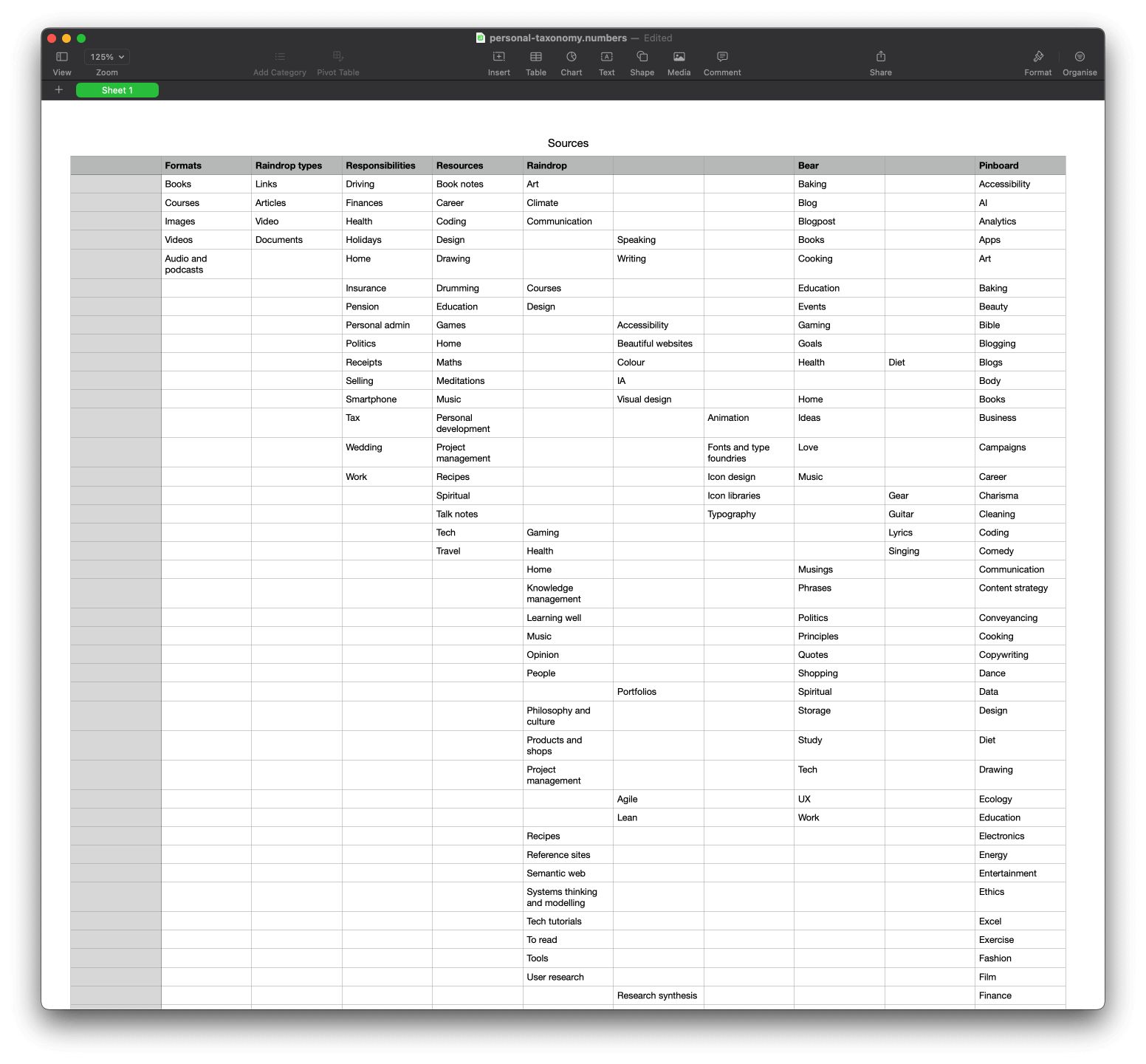
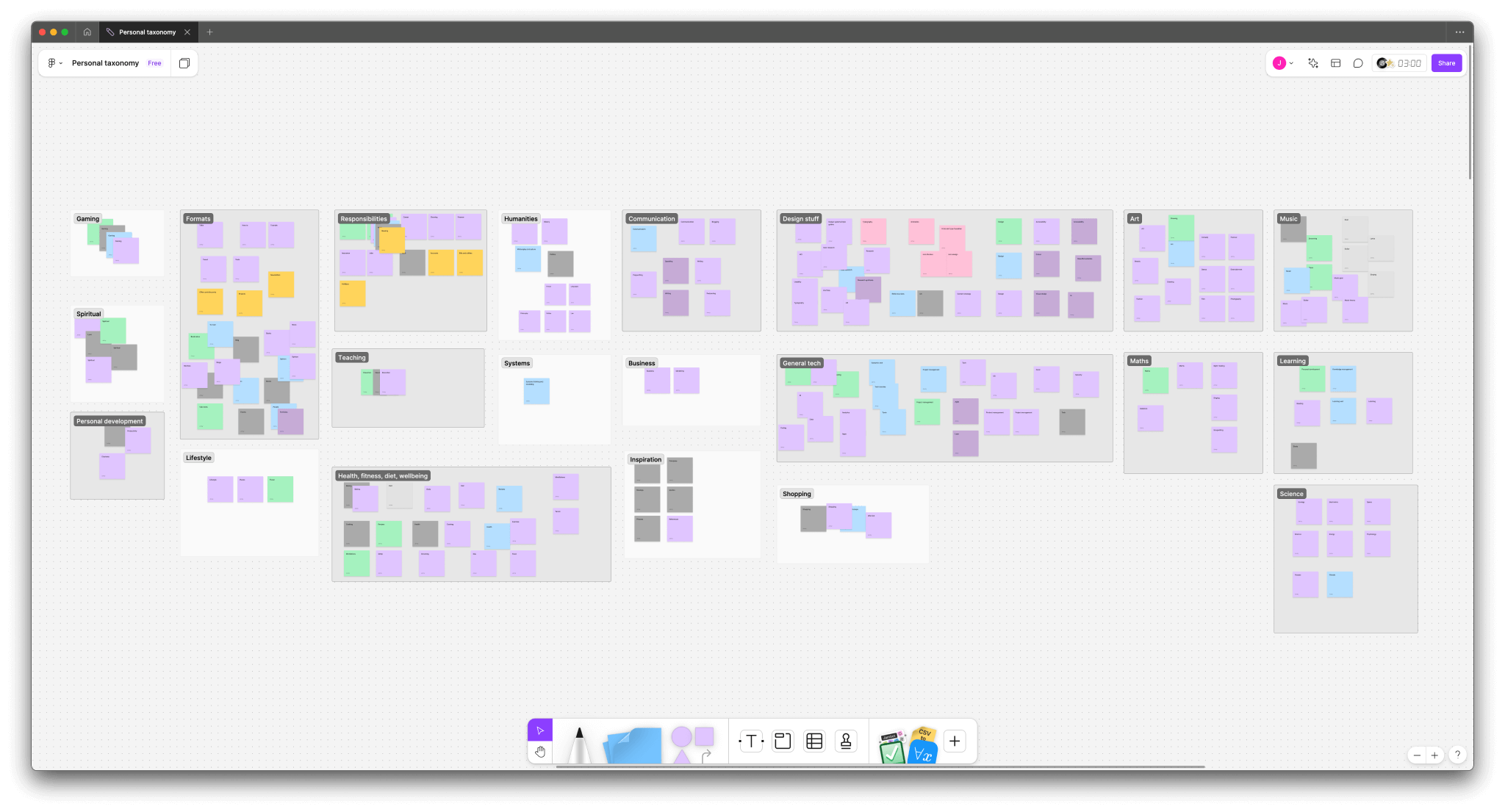
After scanning through the spreadsheet, I decided to move into a context where I could start to done some very rough groupings in a less constrained space. I chose my preferred whiteboarding tool, Figjam.
A bit of faffing about trying to turn table cells into sticky notes (there's a plugin for that) later, I had a loooong list of things to organise. Here, it was slightly easier to navigate the conceptual soup and find some broad groups for things to go in. Eventually, I landed on 21 groups. Then it was time to zoom into each of them, sort out the duplicates and tidy them up.
Topics vs formats
One thing I'd noticed quite early on was the need for some of the terms to have a different nature and function than others. The majority would be topic or subject tags; it was never going to be a strict "x is a type of y" hierarchical taxonomy. But there were a few cases where I figured it would be helpful to design terms for some other dimensions that could cut across the topics. The first one I noticed was format.
I had one particular folder in my file system for books. But those books have topics; would it not be better to have them in the relevant topic folders? Many times I forget what I even have in there, and if I'm looking for help on a particular topic it would be easier to remember if they were saved that way. But it would also just be nice to see all the books in one place. Likewise, bookmarks had a similar issue. There some books I've saved that live on the web, more frequently I'd save online courses. Should they live in a courses folder? Or somewhere describing their subject?
I wanted both.
Given the much larger number of topics, I decided to create a separate set of format tags. However this wasn't exactly straightforward; is "book" a format? Would it better be described as "text"? What about audio books?
After some back and forth, I settled on primitive formats, secondary formats, and layers.
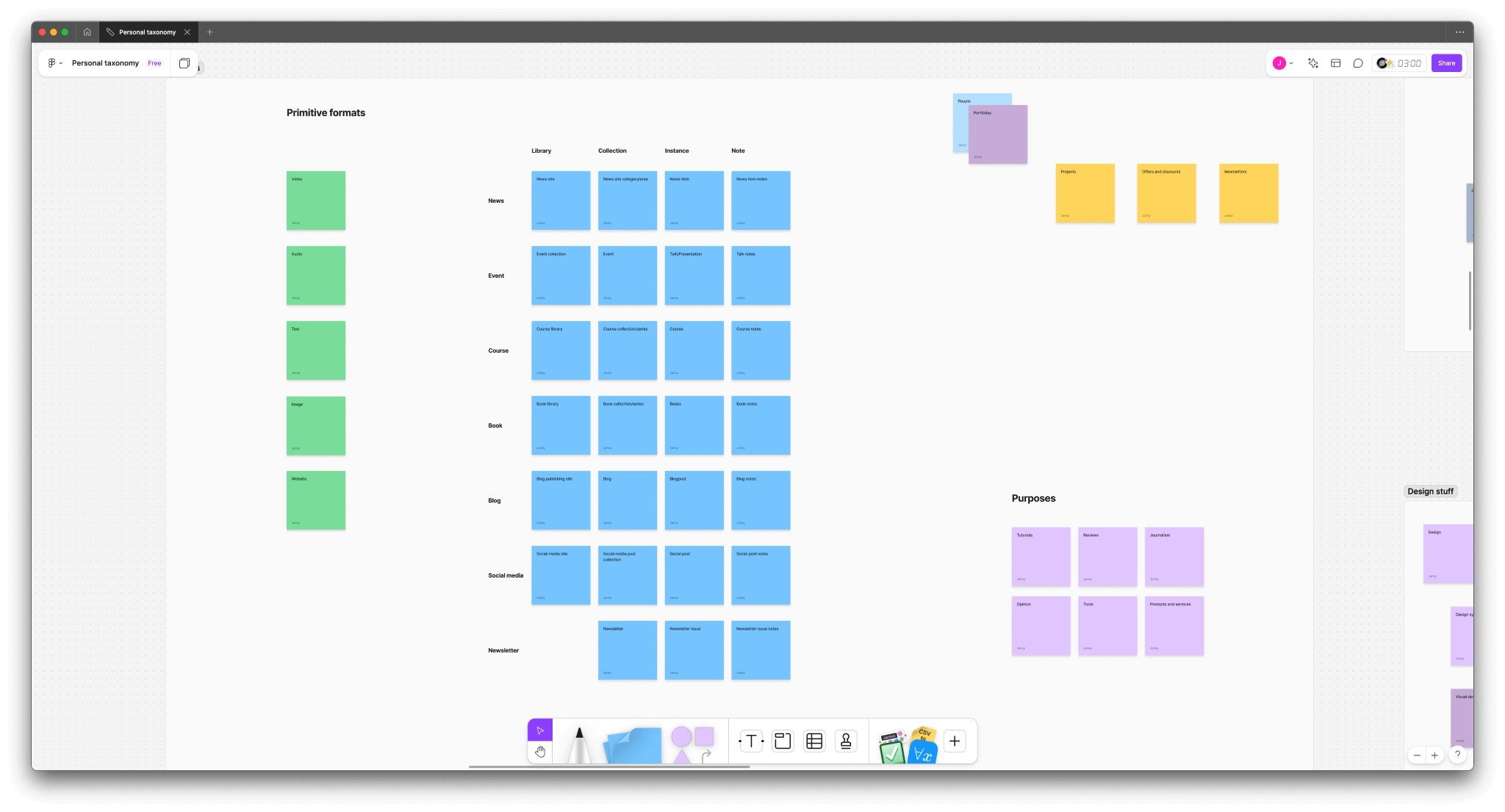
Primitive formats were the most abstracted; video, audio, text, image and website (as in URLs). Building on that were secondary formats. These more like content types; news, events, courses, books, blogs etc. Layers was a tertiary idea that allows an interesting extra level of detail.
Sometimes I'll find an interesting site I want to bookmark. Let's say it's a site full of interesting online courses, like Domestika, Masterclass or Brilliant. I could tag/file it as "course", but that implies it's a single course. If I was looking through every "course" tag, I might want that noise not to be there. I started thinking about "sites" and "instances". But testing these against the secondary formats revealed other levels.
In the end, I settled on four:
- Library (e.g. YouTube)
- Collection (e.g. Playlist)
- Instance (e.g. Single video)
- Note (Something I've written about the video)
Between these three term lists, plus the subject terms, I could make something approaching a grammatical description:
- Audio - Book - Collection
- Art - Video - Course - Library
- History - Text - News - Instance
I wasn't sure if I'd really need to add all these tags to everything; it felt like it might be too much work. Besides, file systems don't tend to allow for this kind of tagging. But certainly for things that I wanted to distinguish as "libraries" or "collections", it felt like they'd come in handy.
The only other tag set I created outside of subjects was something I'm tentatively calling "Purposes":
- Tutorial
- Review
- Opinion
- Journalism
- Tool
- Product
- etc.
Again, these all feel part of a distinct dimension to the term sets mentioned before, though I'm not 100% happy with the name. Generally that's a theme I've noticed with separating abstract dimensions out like this; it can be very valuable precisely because we don't have the vocabulary to describe the distinctions easily (at least I don't – any recommendations on good books for learning super specific grammar terms would be very welcome).
Translating to real use
Part of the decision to go with a hierarchical topic-based taxonomy as the primary structure for this was to meet the way that Raindrop, the web page bookmarking tool I use, works. It has folders (known as "collections") which support nesting and tags. While always a powerful combination, without a clear way of using them, it can be difficult to know what should be a collection and what should be a tag, especially as Raindrop attempts to identify certain content types using what they call "Filters" (videos, articles, etc.) which doesn't seem to quite work as well as you'd hope.
Tags don't nest in Raindrop, so all the dimensions are muddled up into one big list. In spite of that, keeping a small-ish number of tags makes it relatively easy to keep track of what I should use and is a more reliable way of describing characteristics than the default filters. With bookmarks filed away in collections and tagged appropriately, I can easily find things with either entry point.
On MacOS, I was thinking I'd just use the topic taxonomy for my "Resources" folder structure, and that would be it. What I'd forgotten is that you can also create your own tags in MacOS now, and not just use the default colour tags in Finder. Since primary formats are well-covered by OS file metadata, the secondary formats and purposes are the only ones I need to use at the OS level. So far I've only needed to use secondary formats, and I can now get a lovely list of all my books, regardless of what format they are, as well as have them all organised by topic. I've discovered all kinds of things I'd forgotten I'd had that could be invaluable next time I need help on a particular subject.
An information workflow
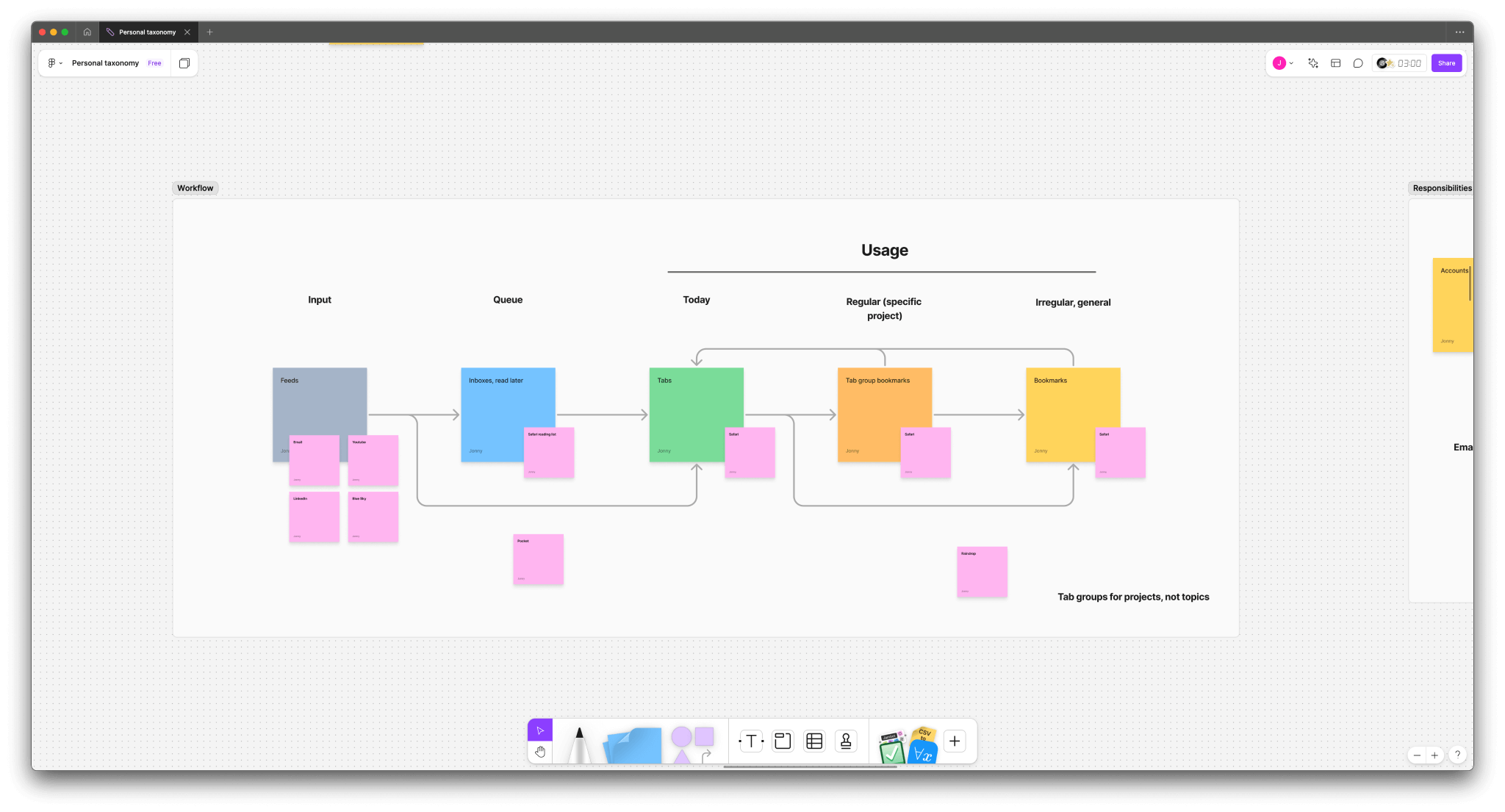
While looking at the formats, I also tried to map out a rough workflow for information I use. Mapping different tools to each part of the workflow, I quickly realised that my browser (Safari) could technically do it all. Did I really need any other apps to support it? Keeping everything in the browser would certainly help avoid switching contexts. Spoiler alert: the read later and bookmarking tools just didn't really cut it for various reasons. But it was a good reminder to try to keep things within easy reach wherever possible.
Finishing touches
Lastly, it was time to come back to the subject terms. Having made initial groups, I then duplicated each one at a time and spent time crafting them further and tidying them up; looking for duplicates, deciding what levels were needed, considering whether I could just remove items that I was unlikely to ever need.
Eventually, I worked through all the groups and wrote them up back in the original spreadsheet for reference; the subjects, primary formats, secondary formats, layers and purposes.
In practice, I ended up making a few further rules for myself:
- Start with just the top level items; only add subcategories when you have something to put in them
- Be open to further dividing categories if a theme emerges that needs more specificity
- Each context is going to be slightly different; use the unified taxonomy as a guide, but don't bother documenting terms that are only going to be needed in one context e.g. email folders
- Keep the spreadsheet as a reference, and update it if you think a change of approach is needed across the different tools
All of that was the easy part compared to the looming task of cleaning up all my files, folders, links and tags to conform to all this. As I check over and review this blog I've done most of my web bookmarks in Raindrop and my YouTube saves, as well as some of my Mac's file system. Time will tell how well the overall structure works, and whether I've left enough flexibility to adapt well to whatever information comes my way over the coming months and years.